CV Templates for creative professionals in Malta: What actually works


Last updated
June 12, 2026
Share on


Creative professionals in Malta, designers, marketers, UX specialists, video editors, and social media managers, need a CV that shows visual intelligence and passes ATS filters. We recommend using a single-column Canva template – customise it to match your style instead of using it as-is and include a portfolio link that highlights what your CV can’t.
This guide explains which templates to use, how to personalise them, and the crucial check to perform before submitting through any Malta job portal.
Why creative CVs need a different approach
Most CV advice targets finance, legal, or admin roles. They suggest a clean layout, no color, and a strict page limit. This advice is valid, but for graphic designers or UX leads, a plain CV can feel like a missed opportunity.
The issue is ATS. Most employer portals and job boards in Malta automatically scan CVs before a person sees them. Complex layouts, including multiple columns, text boxes, graphics, and unusual formatting, can sometimes create parsing issues, particularly when CVs are uploaded into applicant tracking systems.
The answer isn’t choosing between style and function. Instead, use a single-column layout that shows design identity. This can be a thoughtful colour accent, a clean typeface, or smart spacing, without the visual complexity that trips up ATS. While popular design platforms offer extensive template libraries, many of them are actually quite ATS-unfriendly because they rely heavily on these problematic elements.
To solve this, creative professionals often maintain two distinct versions of their CV:
- An ATS-friendly CV for online applications: A version built using a simple, structured, single-column layout. Document editors like Microsoft Word or Google Docs tend to be the most compatible with applicant tracking systems, as the layout and formatting choices matter far more than the software used to create the document. You can still showcase your design identity here through a thoughtful color accent, a clean typeface, or smart spacing, without the structural complexity that trips up the parser.
- A portfolio or designed CV for direct sharing: A visually striking, fully stylised version can be linked from your CV or brought to interviews where a human eye is guaranteed to see it first.
We often see candidates in creative roles submit overly designed CVs. These look great as PDFs but result in broken profiles online. The solution is nearly always the same: rebuild using a single-column format, maintain visual appeal, and eliminate the elements that confuse the parser.
The template is a starting point, not your identity
This is crucial for creative candidates. Two people can use the same Canva template, but their CVs can look very different – one can feel generic, while the other feels authentic. The difference lies in how they use the template.
A template provides structure and a layout. However, it can’t create your profile summary, the projects you choose to highlight, how you describe your work, or the colour palette you select. Those choices are yours alone.
Here are three things to personalise on any template:
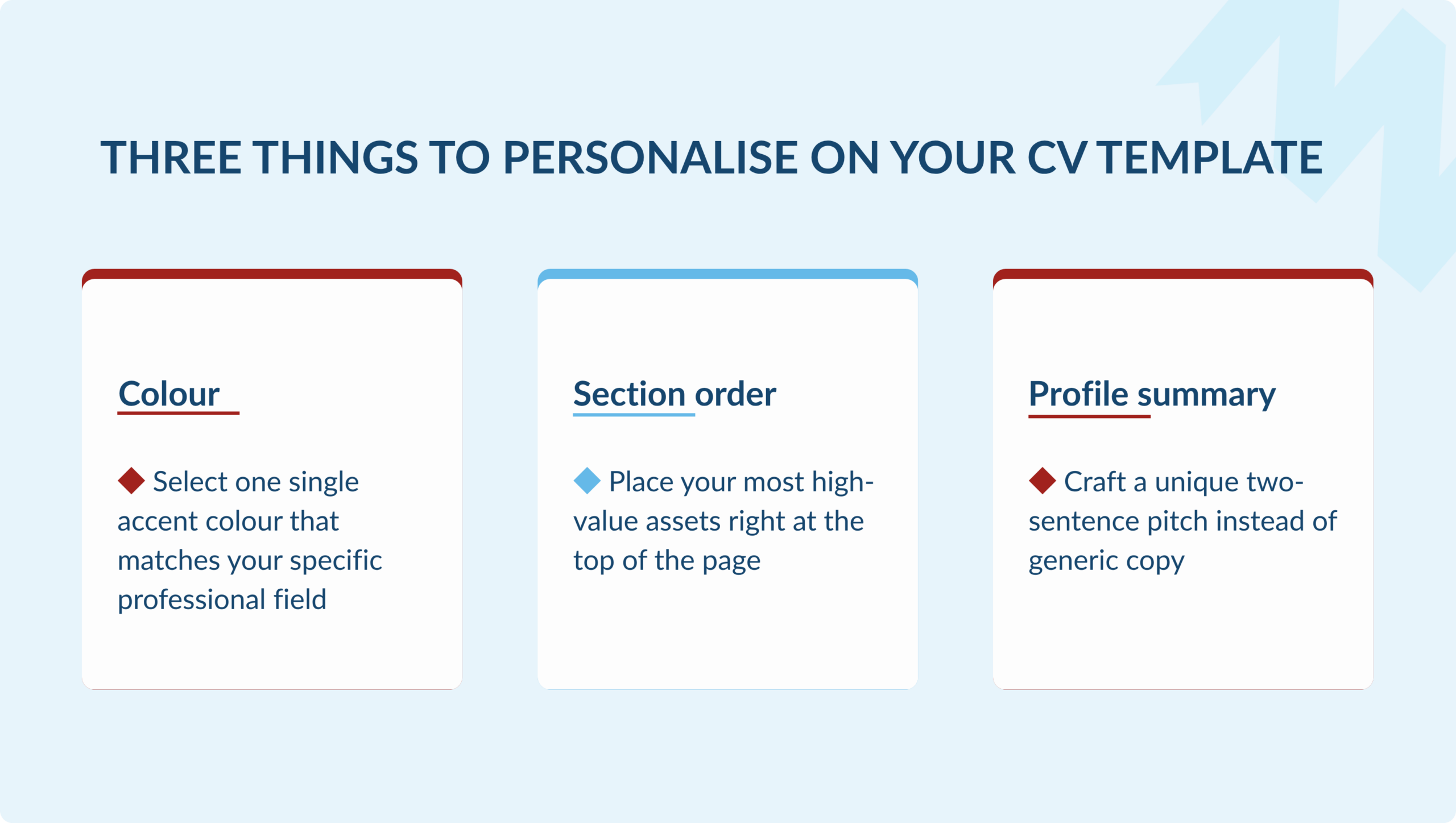
- Colour. Select one accent colour that matches your professional identity. Don’t stick with the default palette; it suggests you didn’t engage with the design.
- Section order. Position the most relevant information for your field at the top. A UX designer should start with skills and tools, while a brand manager might lead with a strong profile summary. A videographer may want their portfolio link at the top of the contact section.
- Profile summary. This is the most read part of any CV, yet many keep it generic. Write one or two sentences that explain what you do, who you do it for, and why you’re worth talking to. This isn’t just a job title; it’s a positioning statement.
Free Canva CV templates worth using for creative roles
Canva’s free tier offers several hundred CV templates without needing a paid subscription. Visit canva.com/resumes/templates and use the filters to browse styles.
Before you choose, do two quick checks. First, ensure the layout is single-column. If you see two side-by-side columns, keep looking. Second, confirm the section headings use standard labels: Work Experience, Education, and Skills. Avoid custom headings like “My Journey” or “What I’ve Done,” as they can confuse ATS parsers.
Beyond that, select a template that reflects your style. Update and adjust it; don’t leave it as is. Canva exports in PDF format by default, which is ideal for most job applications in Malta.
The ATS check – what to do before you submit
Canva templates are generally safer than Photoshop or Illustrator files, but not all of them pass cleanly through ATS parsers. Before submitting through any online portal, run this check:
| Check | What to look for | Why it matters |
| Single-column layout | All content flows top to bottom in one column | Two-column layouts scramble in most ATS parsers |
| Standard section headings | Work Experience, Education, Skills, not creative alternatives | ATS systems search for recognised heading labels |
| No text boxes | Text sits in the main flow, not in separate boxes | Text boxes are often invisible to ATS readers |
| PDF export used | Download as PDF, not as image (JPG/PNG) | Image exports are completely unreadable by ATS |
| File submitted correctly | Attach as a file, never paste CV text into an email body | Formatting breaks entirely when pasted as text |
If you are applying directly to a company by email rather than through a portal, the risk is lower, a human will open the PDF. But the single-column rule still applies, because a clean layout reads better on screen regardless of how it was submitted.
If the job you’re applying for needs a Word file, Konnekt offers five free templates for Malta candidates. They are single-column, ATS-safe, and easy to edit without design software. Check out our free CV templates for Word for more details.
The portfolio question: when to include it and how
For most creative professionals, a portfolio is key. It proves what you can do. Your CV outlines your experience. The portfolio demonstrates it. Recruiters often check the portfolio link before finishing the CV.
| Role type | Portfolio | Notes |
| Graphic designer | Essential | Without one, the CV is incomplete. A Behance, Canva or personal site with 3-5 strong projects is enough. |
| UX / product designer | Essential | Include case study links, not just final outputs. Process matters as much as the result. |
| Video editor / motion designer | Essential | A Vimeo or YouTube showreel link. Keep it under 3 minutes and lead with your strongest work. |
| Social media manager | Strongly recommended | A link to accounts you have managed, or a PDF deck showing growth and content examples. |
| Copywriter / content strategist | Recommended | A personal site or Google Doc with 3-5 published samples. Not a full archive, just a curated selection. |
| Marketing manager (generalist) | Optional | Include if you have a strong body of campaign work. Skip if your experience is primarily strategic. |
| Brand / communications manager | Optional | A portfolio helps if you have strong visual or written outputs to show. |
How to include the link:
- Add it to the contact section at the top of your CV. Make sure to label it clearly, such as ‘Portfolio: yourname.com’ or ‘Work: vimeo.com/yourname’. Avoid putting it in a footnote where it might be overlooked.
- Use a short and clean URL. Having a personal domain is ideal. Options like Behance, Vimeo, LinkedIn, and a well-structured Google Sites page are all suitable. However, you should avoid using Dropbox links, Google Drive folders that require permission, Behance URLs with random strings, or anything that requires a login.
- Check the link before you apply. Do this every time you submit your CV. A broken link to your portfolio is worse than not having one at all, as it gives the impression that you lack attention to detail, which is not what you want to convey as a creative professional.
- Ensure it loads quickly and is mobile-friendly. Recruiters often view CVs on their mobile phones. If your portfolio takes too long to load or does not display properly on a small screen, you will miss the opportunity to make a good impression.
Key takeaways
Here are a few things to remember:
- Start with a Canva single-column template. Choose one that’s creative, modern, or minimalist based on your field.
- Customise it with one accent colour, a clear section order, and a personal profile summary.
- Run an ATS check before submitting through any online portal in Malta.
- Add a portfolio link in the contact section. Ensure it’s clearly labelled and tested before each application.
- Remember, the template is just a framework. Your content and choices convey your message.
If you’re a creative professional seeking roles in Malta, register with Konnekt. Our recruiters review every registration and will contact you if a suitable role arises.
For CV writing tips beyond templates, check our complete CV writing guide for Malta. For ATS-friendly Word templates, visit our free CV templates for Word.
Frequently asked questions
Most are, but not all. The key variable is layout. Canva’s single-column templates, particularly in the minimalist and modern categories, parse cleanly through ATS systems. Multi-column templates or designs that use separate text boxes may not. Before submitting through any Malta job portal, confirm your chosen template is single-column, uses standard section headings (Work Experience, Education, Skills), and is exported as a PDF rather than an image file.
A single-column layout with a visual accent, one colour, a strong typeface, deliberate spacing, paired with a portfolio link prominent in the contact section. The CV itself should read clearly and quickly; the portfolio carries the evidence of your craft. Avoid multi-column layouts, embedded graphics, and text boxes, which break ATS parsers on most Malta recruitment portals.
If you work in design, UX, video, motion, or social media content, yes – a portfolio link is essential, not optional. For copywriters and content strategists, it is strongly recommended. For marketing managers and brand professionals, it depends on whether you have specific creative outputs worth showing. Place the link in the contact section at the top of your CV, label it clearly, and test it before every application.
Not if you are applying through an online portal or ATS-enabled system. Two-column layouts are frequently misread by ATS parsers – content ends up scrambled, out of order, or missing entirely. The CV may look correct as a PDF but produce an unreadable profile in the recruiter’s system. Single-column layouts are safe for all submission methods. If you want visual personality, achieve it through typography and colour within a single-column structure.
Restraint is the skill. One carefully chosen accent colour, a typeface with character, and tight spacing does more than a multi-column layout full of icons and skill bars. Beyond visual choices: write a profile summary that actually says something specific about what you do and for whom; name projects rather than listing generic responsibilities; and include a portfolio link so your work speaks for itself. The CV’s job is to earn the conversation. The portfolio closes it.

About the author: Emma joined Konnekt in 2021 and has been working in recruitment ever since. She began her career as a Recruitment Specialist within the Finance & Legal Recruitment Team before expanding her expertise across other sectors, including Tech. Over the years, she progressed in her role and now oversees all recruitment teams in her current position as Recruitment Operations Manager.